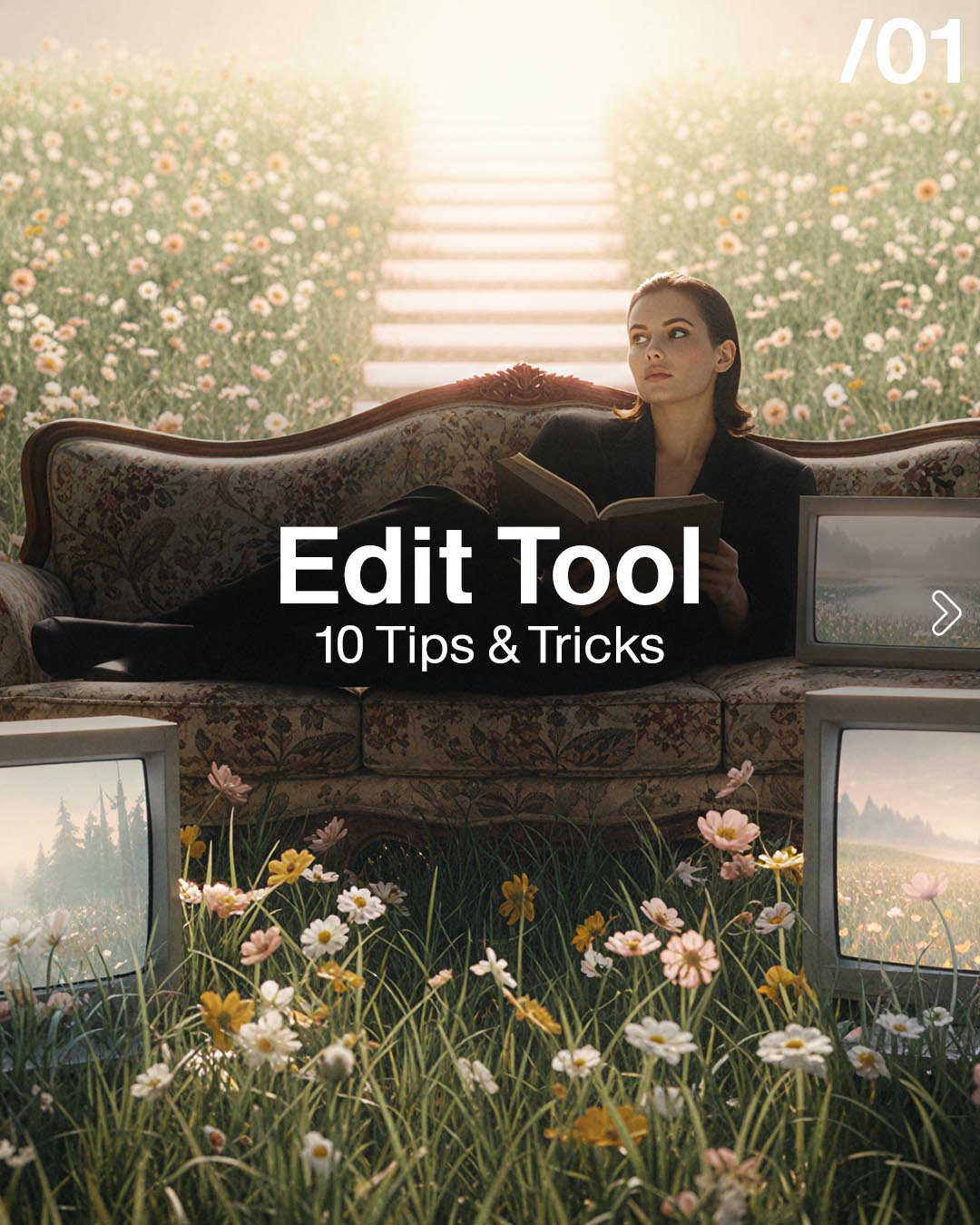
AI-generated fashion edit results showing the capabilities of The Fabricant Edit Image Tool
Authored by
Kerry Murphy
Date Published
September 23, 2025

Prompt Guide for the Edit Image Tool

Use this guide to get yourself kickstarted with this incredibly powerful tool. This post can also be accessed on Instagram - https://www.instagram.com/p/DOsyyrzDJ_5/?img_index=1

Prompt Guide for the Edit Image Tool - Prompting for the Edit Image Tool - The Fabricant Intelligent Tools
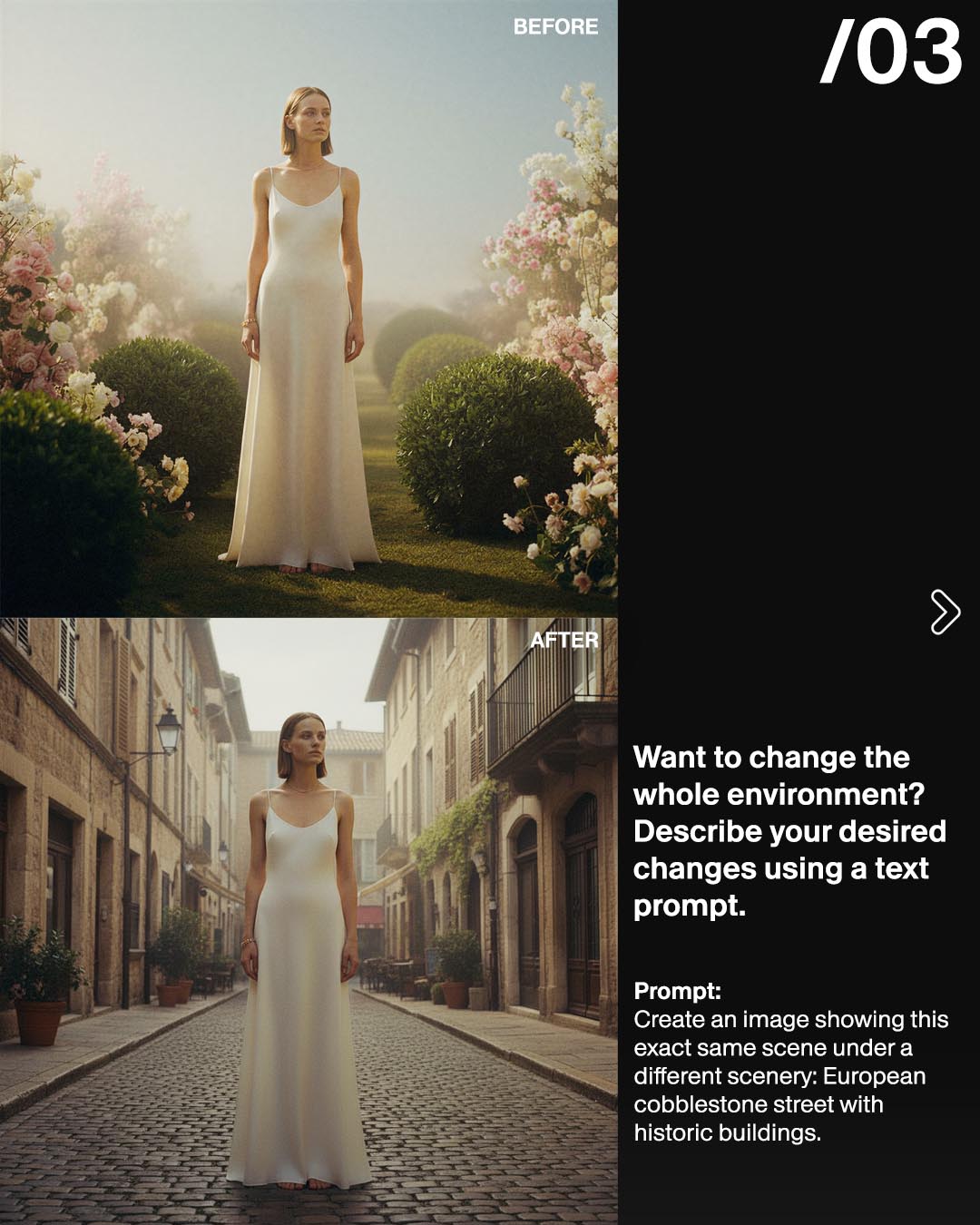
Prompt:Create an image showing this exact same scene under a different scenery: European cobblestone street with historic buildings.
Prompt Guide for the Edit Image Tool example 2 - Prompting for the Edit Image Tool - The Fabricant Intelligent Tools
Prompt:Exact same scene under a different lighting condition: chiaroscuro lighting
Prompt Guide for the Edit Image Tool example 3 - Prompting for the Edit Image Tool - The Fabricant Intelligent Tools
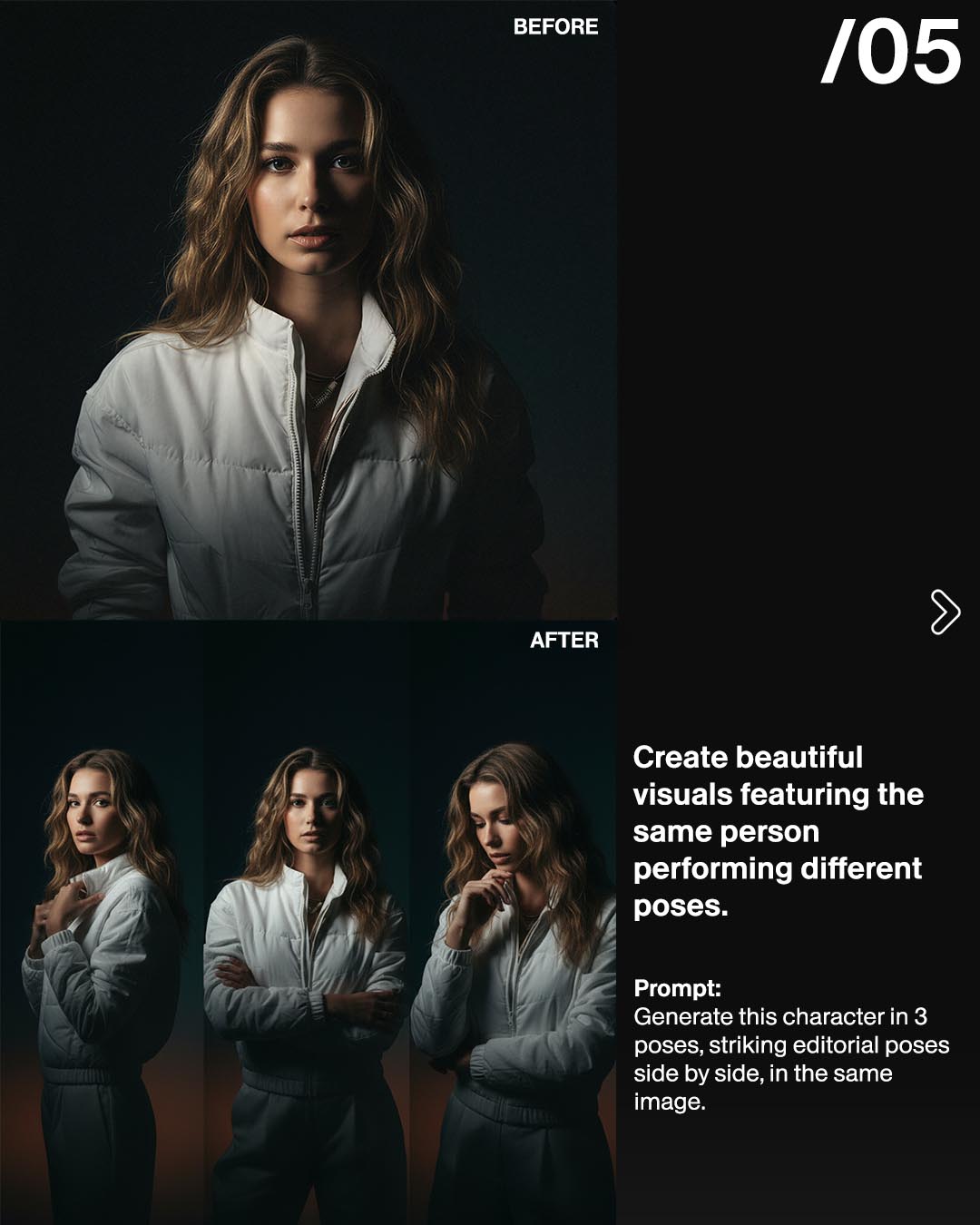
Prompt:Generate this character in 3 poses, striking editorial poses side by side, in the same image.
Prompt Guide for the Edit Image Tool example 4 - Prompting for the Edit Image Tool - The Fabricant Intelligent Tools
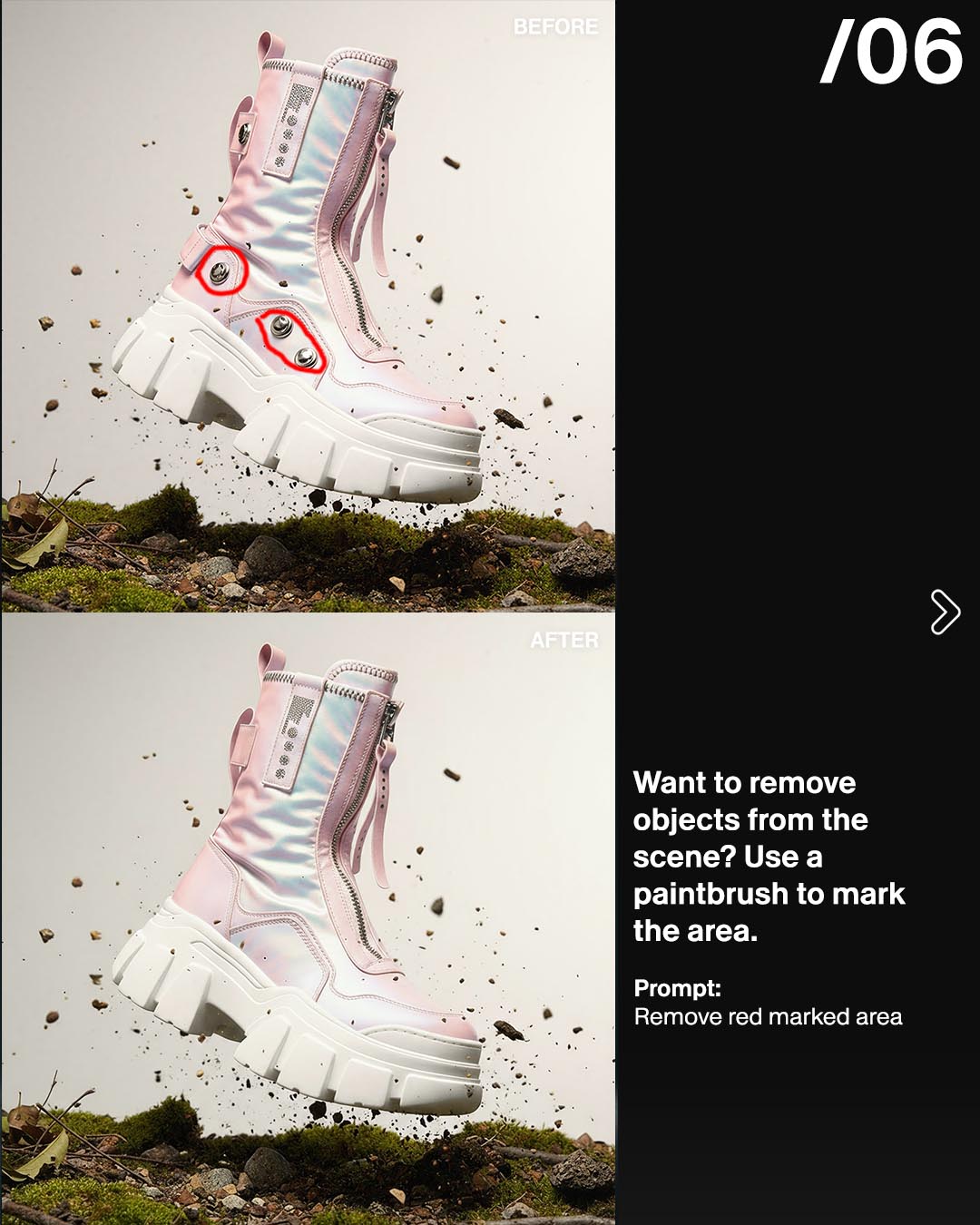
Prompt:Remove red marked area
Prompt Guide for the Edit Image Tool example 5 - Prompting for the Edit Image Tool - The Fabricant Intelligent Tools
Prompt:Create a frontal view. Mantain the pose.
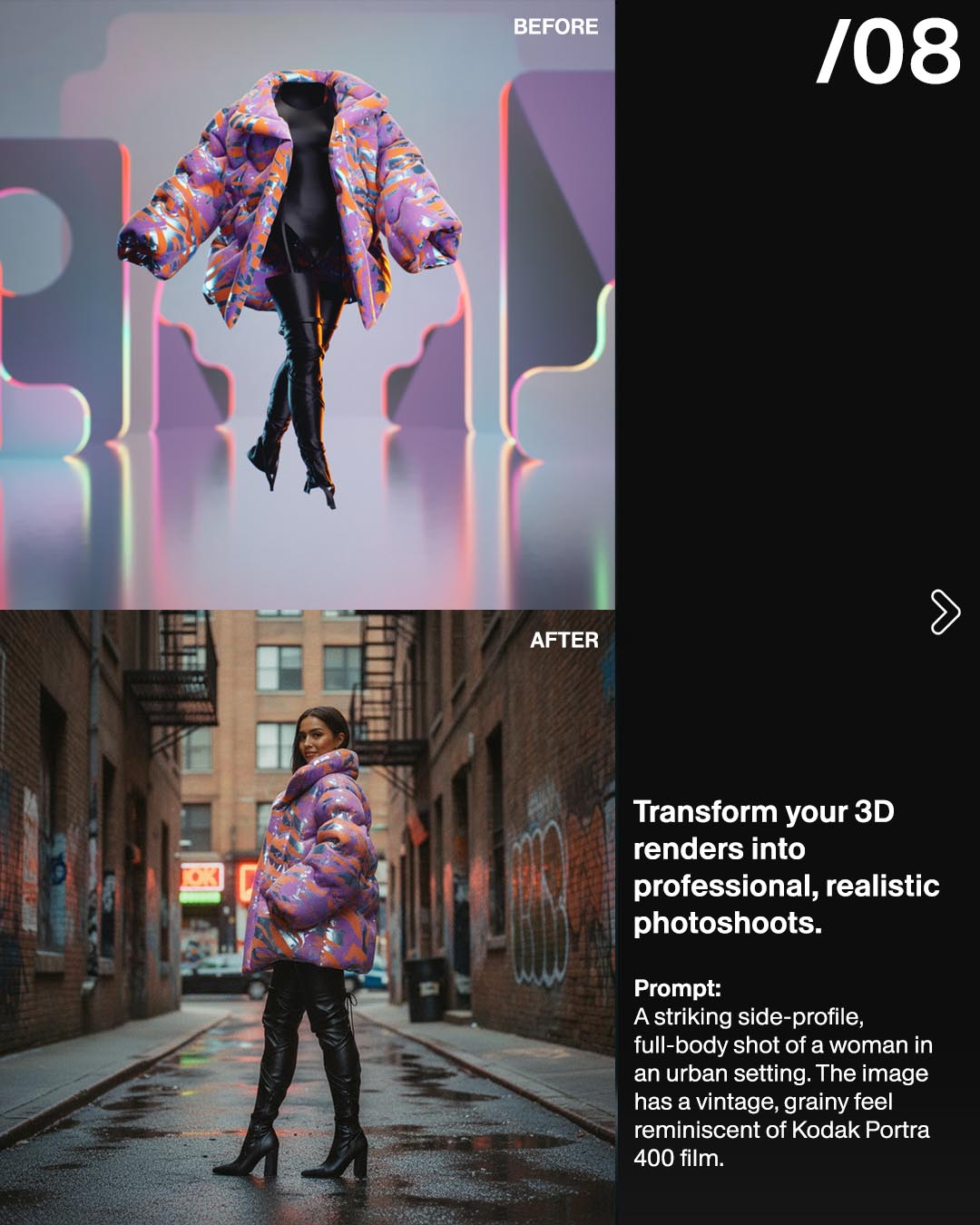
Prompt Guide for the Edit Image Tool example 6 - Prompting for the Edit Image Tool - The Fabricant Intelligent Tools
Prompt:A striking side-profile, full-body shot of a woman in an urban setting. The image has a vintage, grainy feel reminiscent of Kodak Portra 400 film. 
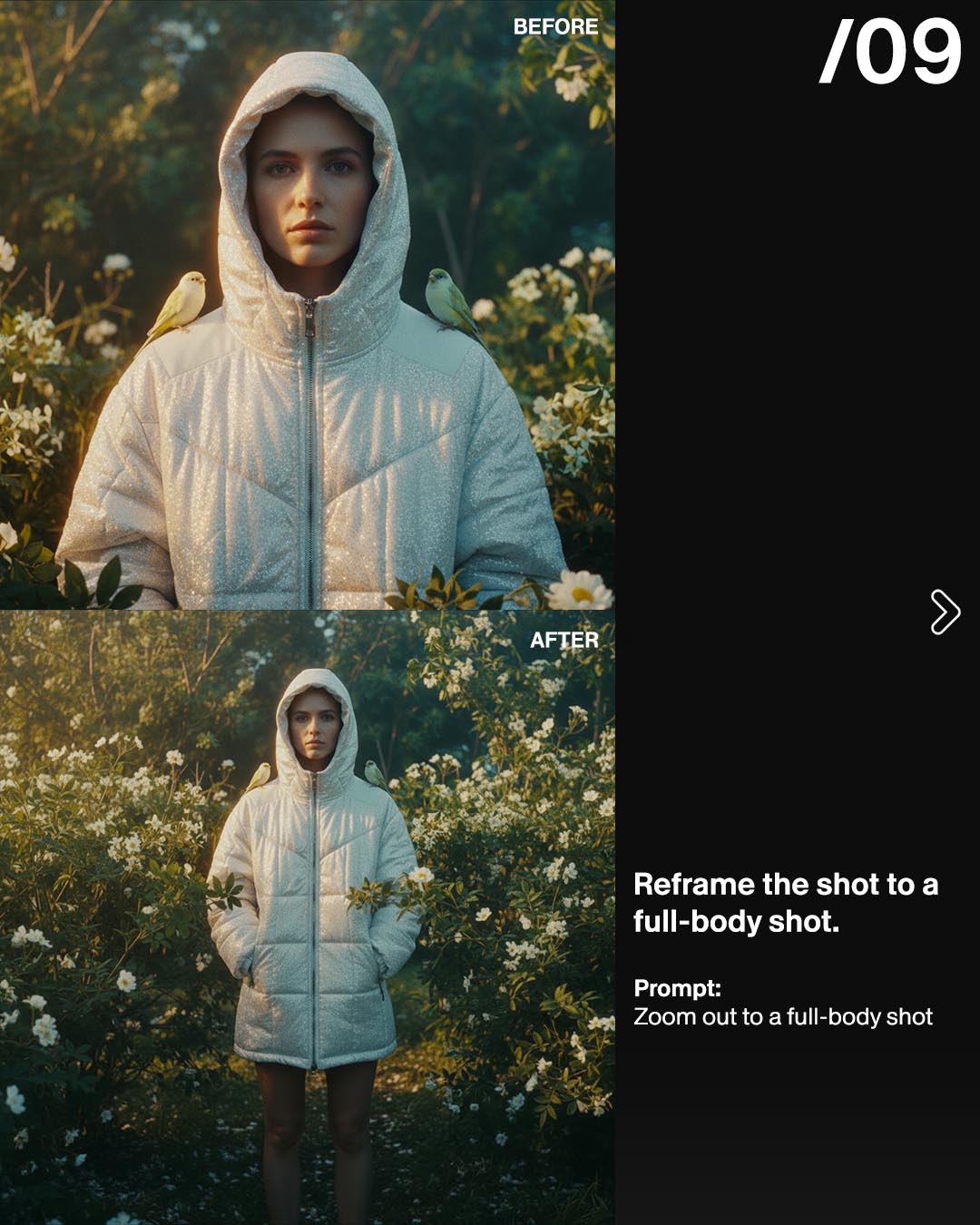
Prompt Guide for the Edit Image Tool example 7 - Prompting for the Edit Image Tool - The Fabricant Intelligent Tools
Prompt:Zoom out to a full-body shot
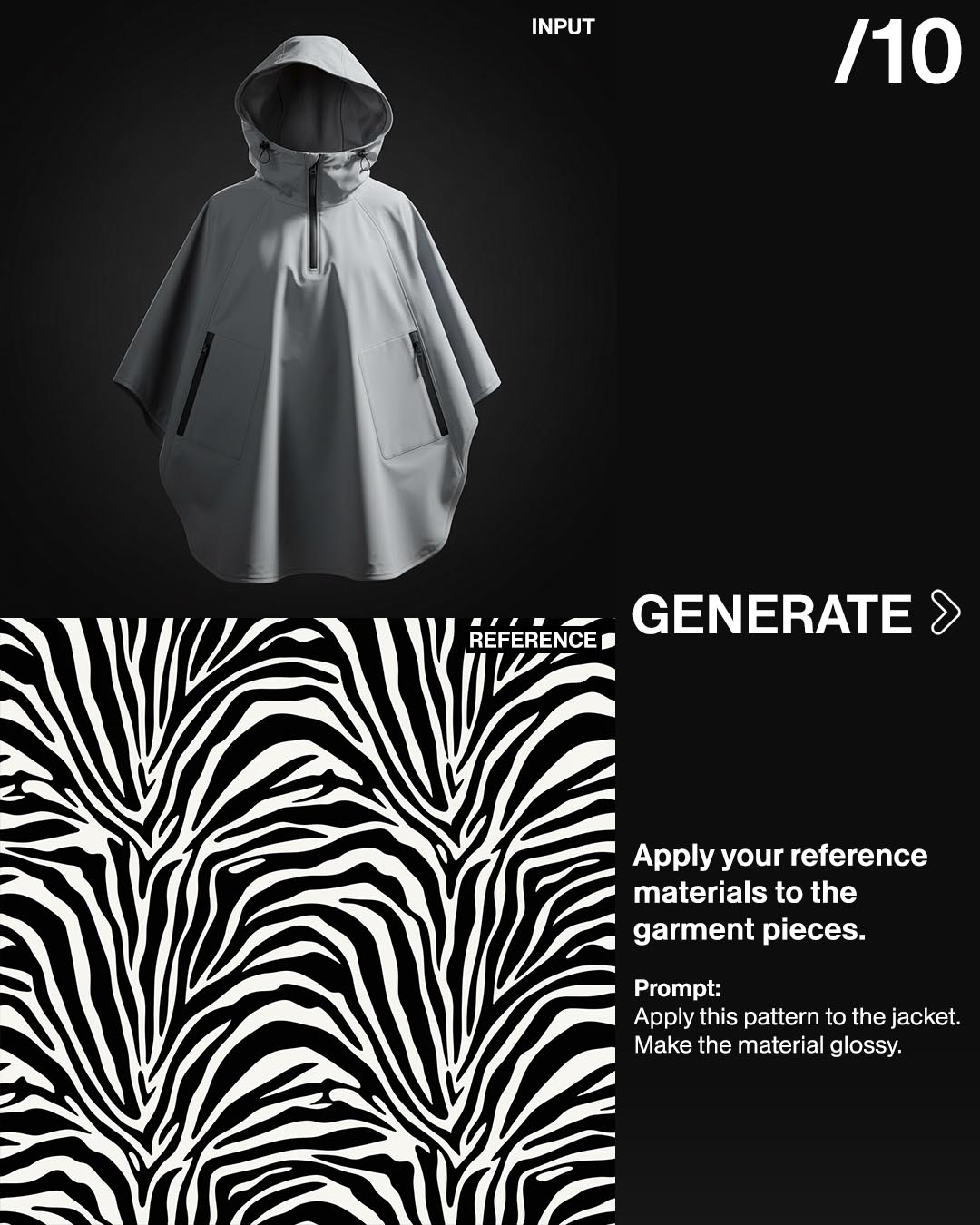
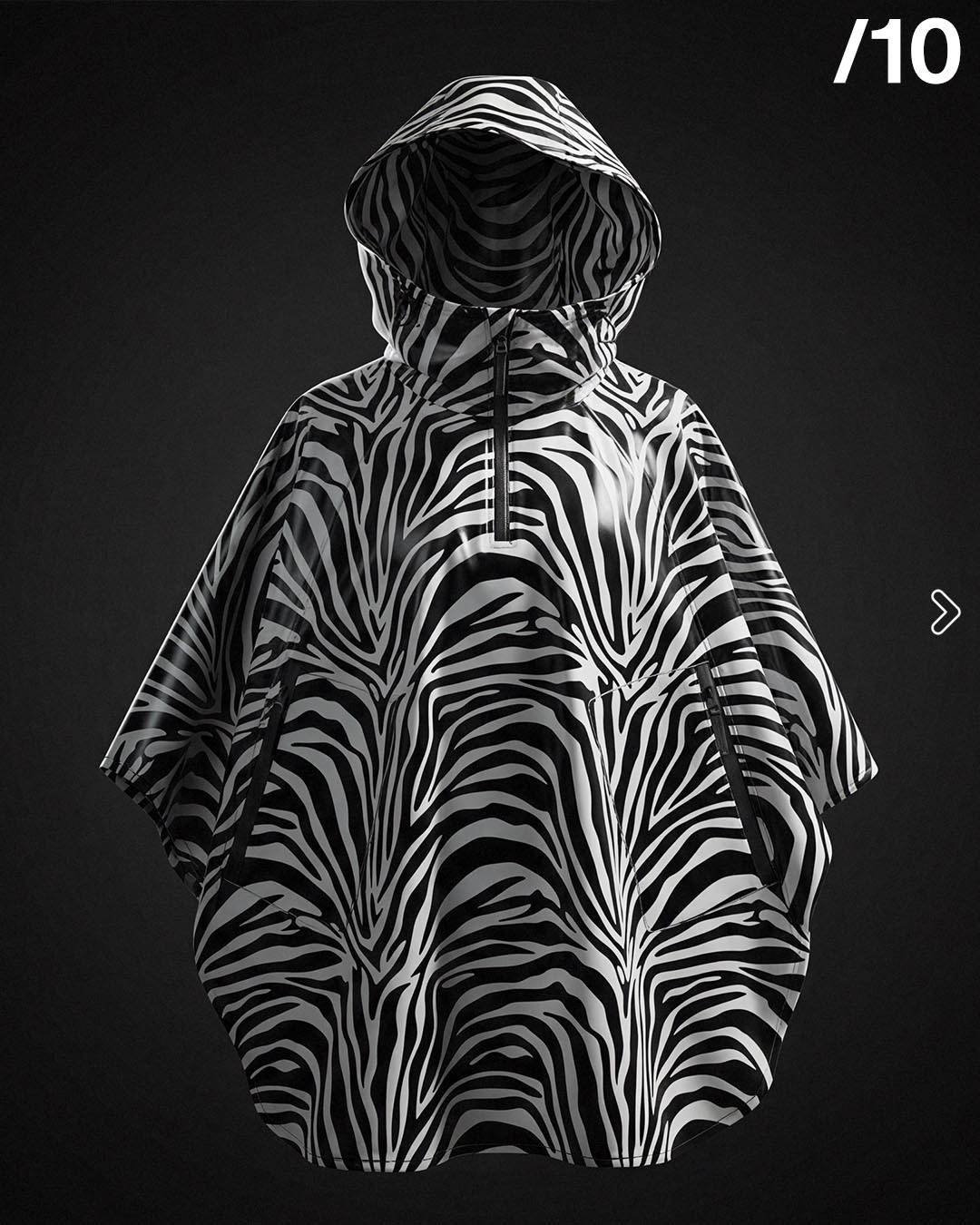
Prompt Guide for the Edit Image Tool example 8 - Prompting for the Edit Image Tool - The Fabricant Intelligent Tools
Prompt:Apply this pattern to the jacket. Make the material glossy.
Prompt Guide for the Edit Image Tool example 9 - Prompting for the Edit Image Tool - The Fabricant Intelligent Tools
Prompt Guide for the Edit Image Tool example 10 - Prompting for the Edit Image Tool - The Fabricant Intelligent Tools
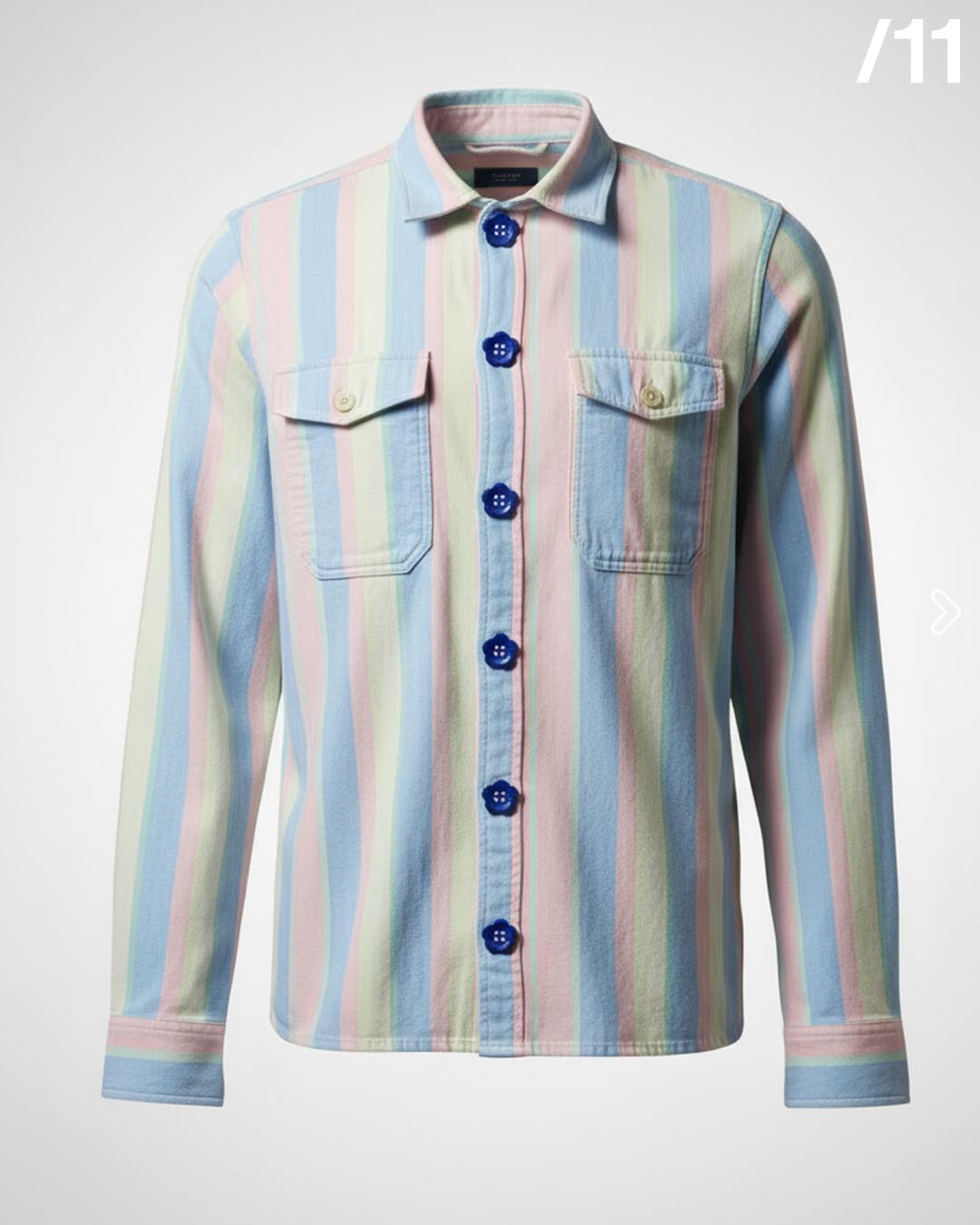
Prompt:Replace the buttons with the references.
Prompt Guide for the Edit Image Tool example 11 - Prompting for the Edit Image Tool - The Fabricant Intelligent Tools
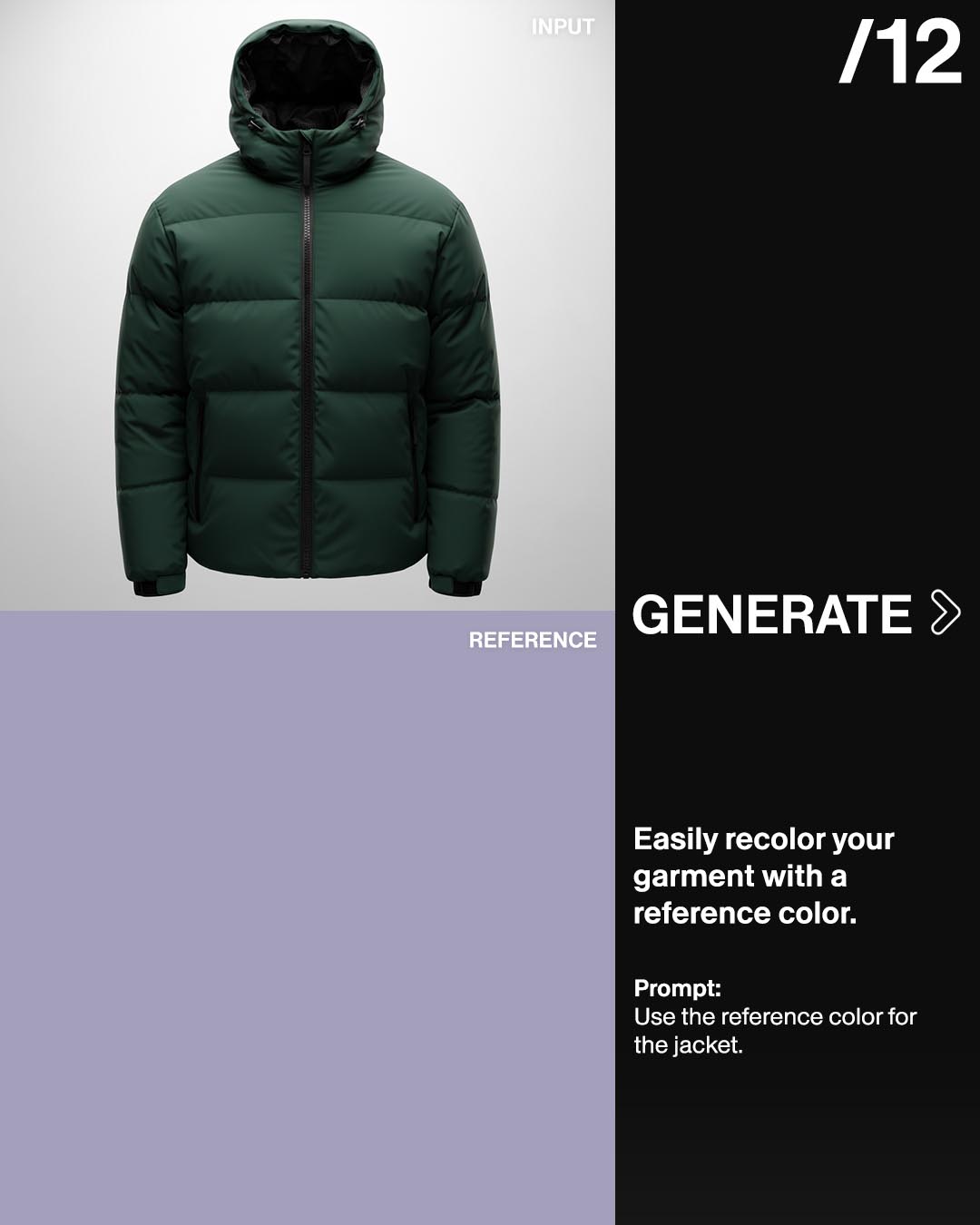
Prompt Guide for the Edit Image Tool example 12 - Prompting for the Edit Image Tool - The Fabricant Intelligent Tools
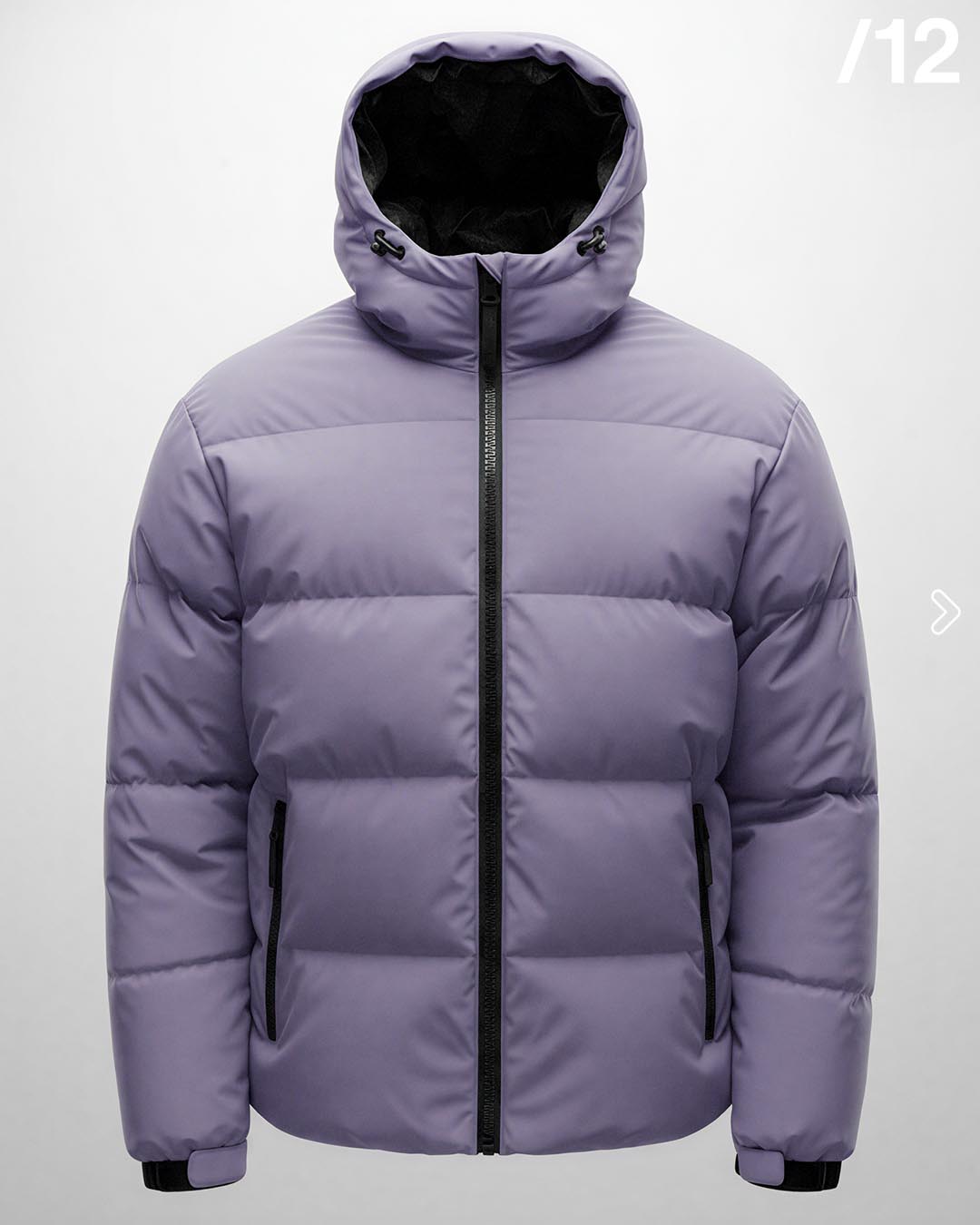
Prompt:Use the reference color for the jacket.
Prompt Guide for the Edit Image Tool example 13 - Prompting for the Edit Image Tool - The Fabricant Intelligent Tools

Try it for free at app.thefabicant.com

Join the Conversation Today!

Dive deeper into our latest insights and tips. Subscribe now to stay updated and enhance your knowledge.

By clicking Sign Up you're confirming that you agree with our Terms and Conditions.
Thank you! Your submission has been received!
Oops! Something went wrong while submitting the form.